Internal messaging
Private threads between the management team and each educator, inside the panel.
2026-08-31
Before you start
- This module requires the Arrel plan. On a lower plan, the section shows a notice to upgrade instead of the thread list.
- This module lives only in the panel: it has no surface in the family portal or the app. Do not confuse it with Messaging with families, which is a different tool.
- It always works, even when family Messaging is switched off for the school.
- Both directors and educators have access, each with their own view.
Step by step
Open Internal messaging
In the sidebar, under Communication, click Internal messaging.
If you are a director: pick an educator
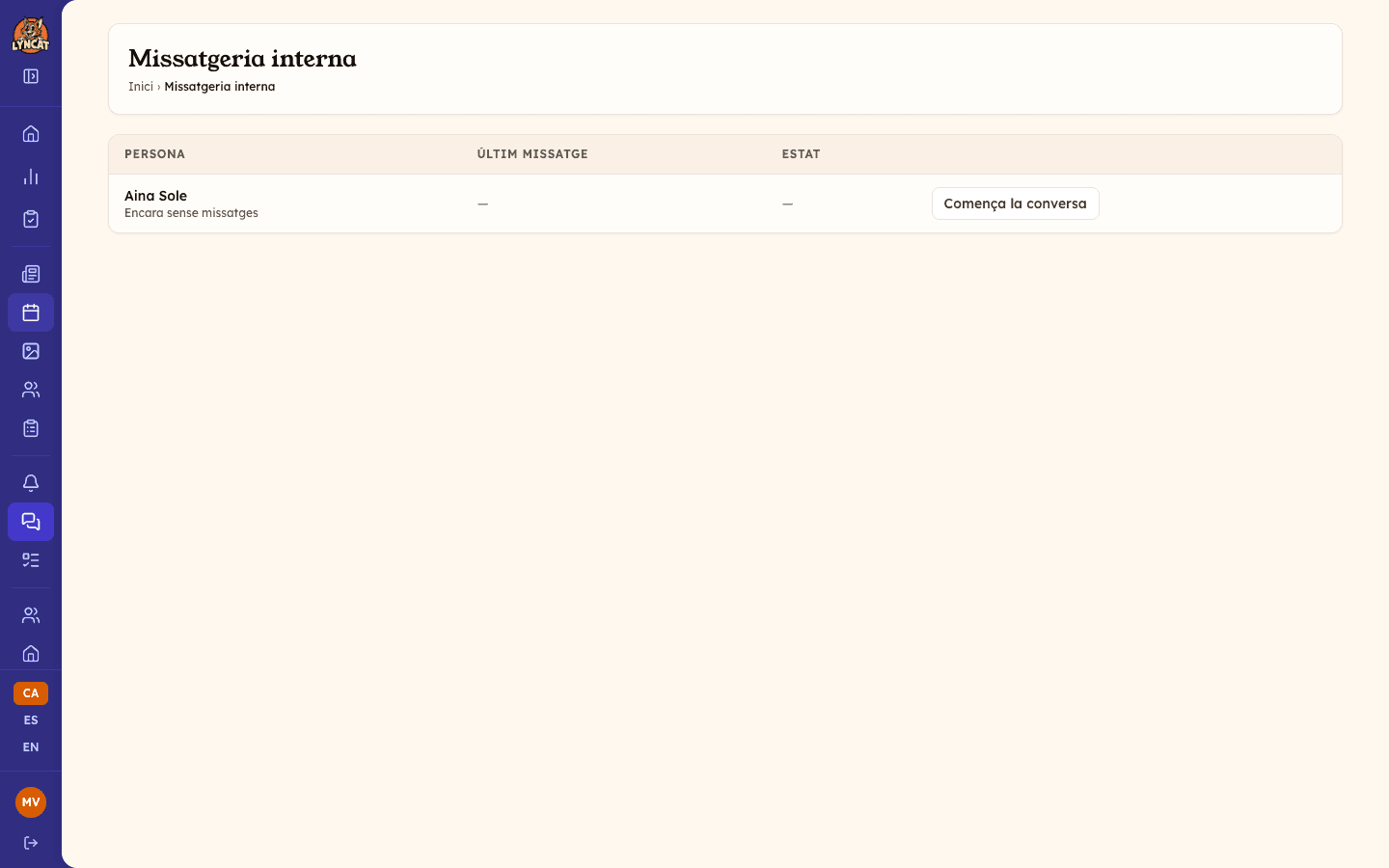
You will see one row per educator in the school, even if you have never written to them. The list has three columns: Person (with a snippet of the last message underneath, or "No messages yet"), Last message with the date, and Status, which shows a badge with the number of messages you have left to read. Rows with recent activity come first; the rest are alphabetical.
If you are an educator: open your thread
You will only see one row, Management. It is the only thread you can access — you cannot see other educators' threads.
Start or open the conversation
If there are no messages yet, the button reads Start the conversation; the thread is created the moment you open it. If a conversation already exists, the button reads Open thread.
Write and send
Write your message in the box below the thread and click Reply. To attach a document, click Add attachment: Word, PDF, PNG and JPG files up to 8 MB are accepted, and you can add more than one to the same message.
Correct your own message if needed
Under each message you wrote there is an Edit option. Change the text and click Save: the thread marks the message as edited so the other party knows it changed.
Important
Management is collective: anyone with the director role reads and answers the same thread. If you are an educator, you are not writing to one specific person but to the whole management team — the thread itself reminds you of this with the note "This thread is read by the school's whole management team".
Read receipts
Receipts appear on the messages from your side of the thread, not on the ones you receive. Each sent message carries a check mark: a single one means Sent, and a double one means Read by the other party.
Because management is collective, a director also sees the mark on messages written by another director: both count as the same side.
Truc
Opening the thread is the read receipt itself — there is nothing to mark by hand. Once read, a message cannot be set back to unread.
Privacy between colleagues
An educator cannot see other educators' threads in the school: each person only has access to their own thread with management.
Frequently asked questions
Can I write to a specific educator as a director?
Yes. Pick their row in the list and start or open the thread. Keep in mind that any other director in the school can also see and reply to this conversation.
Can an educator write directly to a colleague?
No. Internal messaging only connects each educator with management, never between educators.
Can families see these messages?
No. Families have no access to them and are not aware of them — it is a tool exclusive to the school team.
Can I delete a message I sent by mistake?
You can edit it to correct it, but not delete it. If needed, write a clarification in the same thread.