
Invite team
Add educators and directors to the school so they can access the panel and collaborate from day one.
2026-09-07
Before you start
- You need the director role to invite people. With an educator role you cannot access this section of the panel.
- Have the email address of each person you want to add ready.
Truc
You can have multiple directors at the school. If you are the only administrator, consider inviting a backup director to ensure continuity.
Step by step
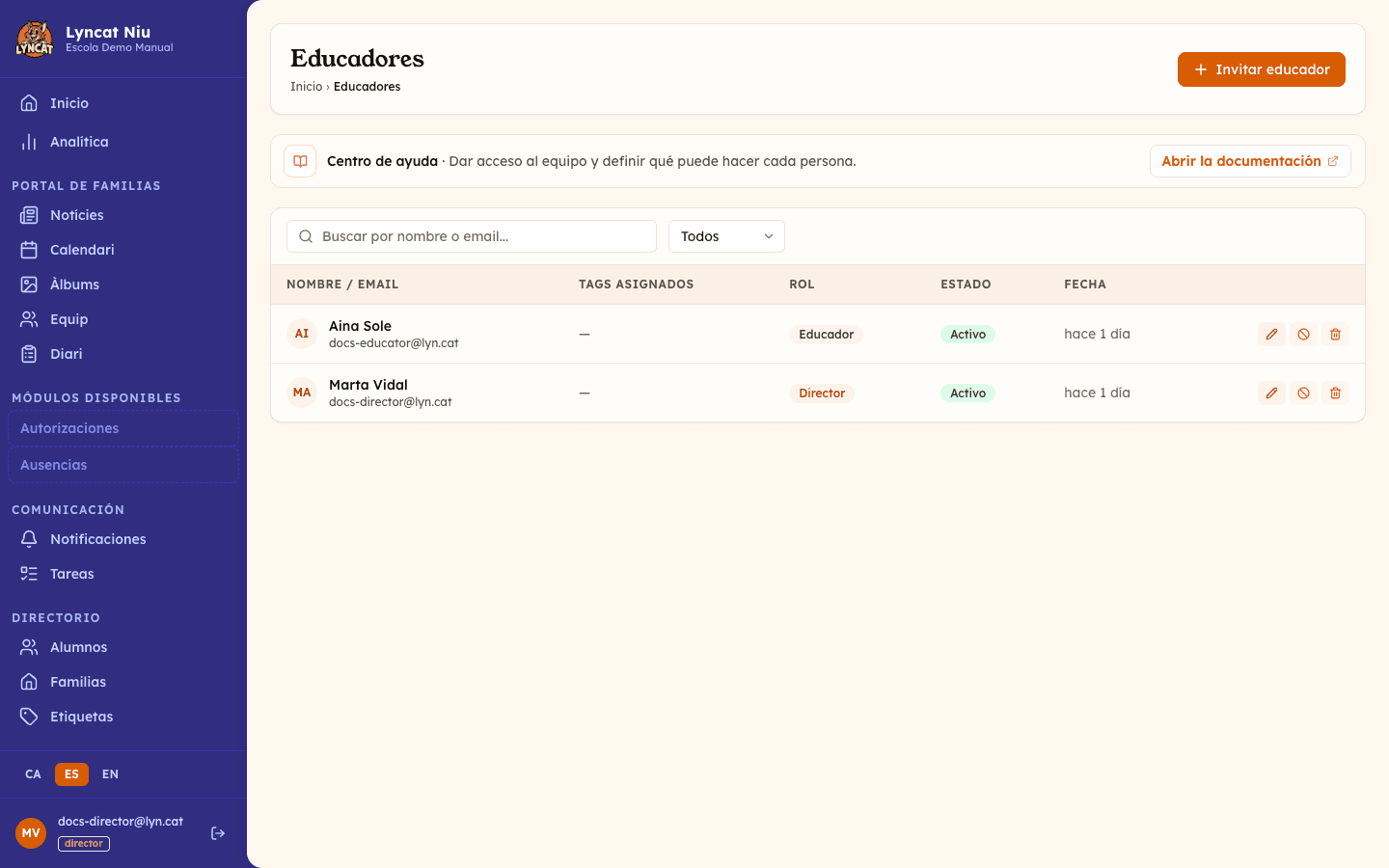
Open the Educators section
In the side menu, go to Settings → Educators. You will see the list of current members and pending invitations.
Click Invite Educator
At the top right of the page, click the Invite Educator button. A form will open.
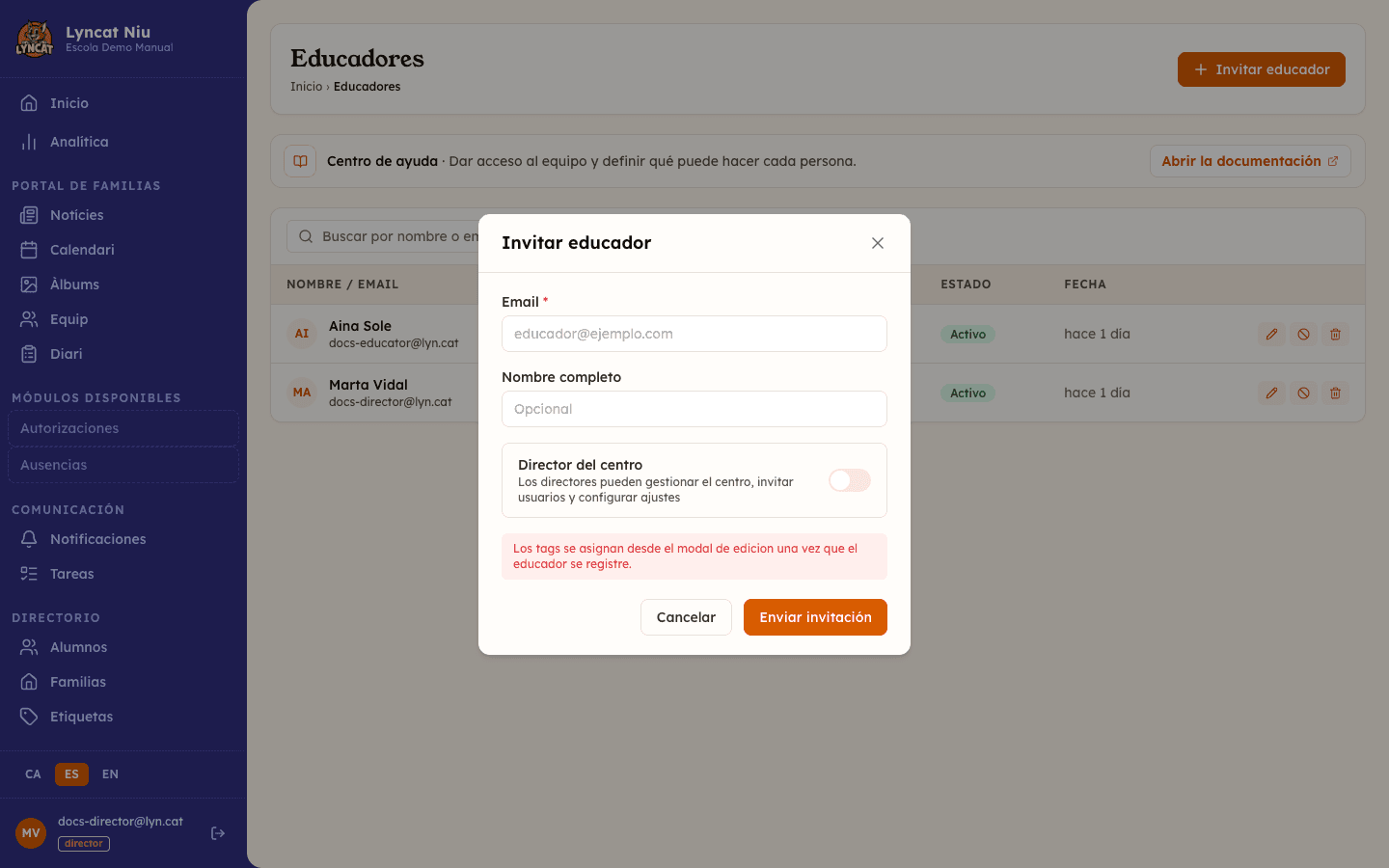
Enter the details
Fill in the Email of the person. The Full name is optional: if you leave it blank, the person can fill it in when they accept the invitation.
If the person should have School director access (can invite users and manage settings), enable the corresponding toggle.
Send the invitation
Click Send Invitation. The person will receive an email with a link to activate their account. Until they accept it, they will appear in the list with the status Pending.
What the invited person sees
When the person receives the email and clicks the link, they arrive at an activation page where they need to:
- Confirm or enter their full name.
- Choose a password (minimum 8 characters).
- Click Activate account.
Once activated, they go directly to the school dashboard.
What to do if...
The person has not received the email
Check that the address is correctly entered. From Settings → Educators, find the invitation (status Pending) and click the Resend invitation icon to generate a new email. The link is valid for another 7 days.
The invitation has expired
If the person did not accept the invitation in time, it will appear with the status Expired. In that state the resend icon is no longer there: only the bin icon remains. Delete the expired invitation and invite the same address again from Invite Educator. The person will receive a new link, also valid for 7 days.
The invited person already has a Niu account
The same email can have an account at more than one school (for example, someone who already works there or has a family there). In that case, the invited person does not create a new password: when they open the invitation link, they sign in with the password they already use, and the system links the invitation to their existing account.
I don't see the "Invite Educator" button
This section is only accessible with the director role: with an educator role, the panel redirects you to the dashboard when you try to open it. Contact the school director to send the invitation.
Frequently asked questions
How many directors can I add? There is no limit. You can assign the director role to as many team members as you need.
Can I change an educator's role to director later? Yes. From Settings → Educators, click the edit icon and enable the School director toggle.
Are classroom tags assigned in the invitation? No. Tags are assigned from the edit modal once the person has accepted the invitation and activated their account.
Can I delete an invitation I have already sent? Yes. While the invitation is in Pending or Expired status, you can delete it from the list.